Enhancing Page Customizations in Business Central
Enhancing Page Customizations in Business Central
Microsoft Dynamics 365 Business Central continues to evolve, offering increasingly powerful customization options. One feature that stands out is the ability to display fields that are hidden but present in the table.

This enhancement dramatically increases the flexibility and capability of both clients and functional consultants to configure the application without any code modifications.
Unlocking Hidden Fields
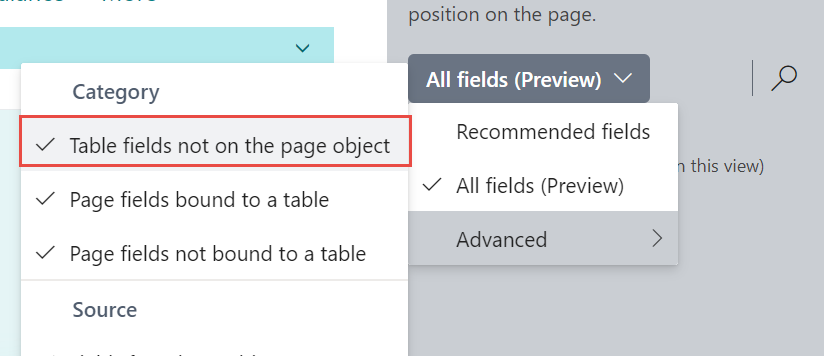
A notable addition to the customization toolkit is the “Table fields not on the page object” feature. Initially, this option appears disabled when you start customizing a page.
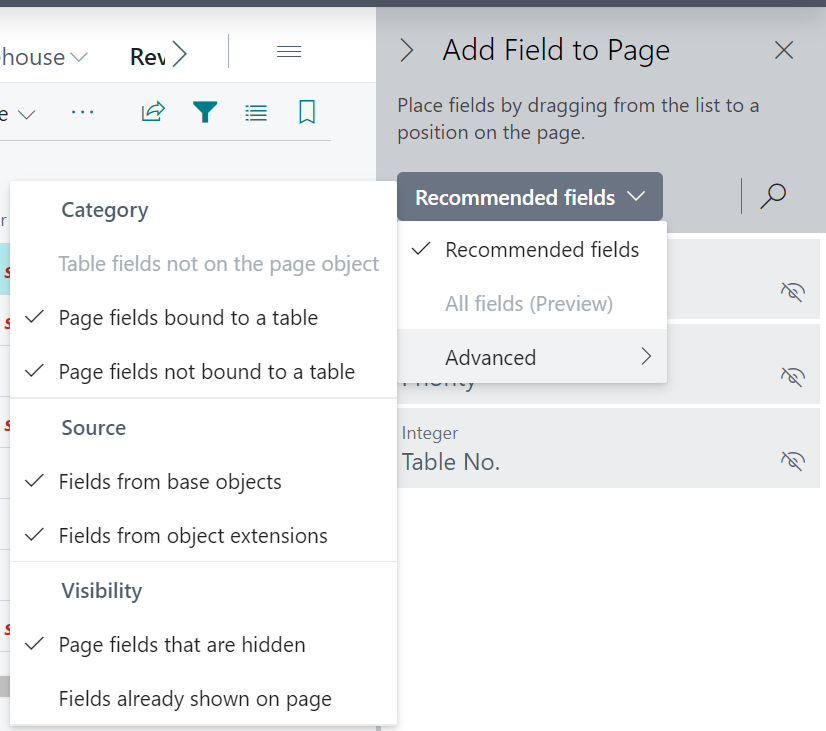
However, this changes when you enter the customization mode for a specific role.
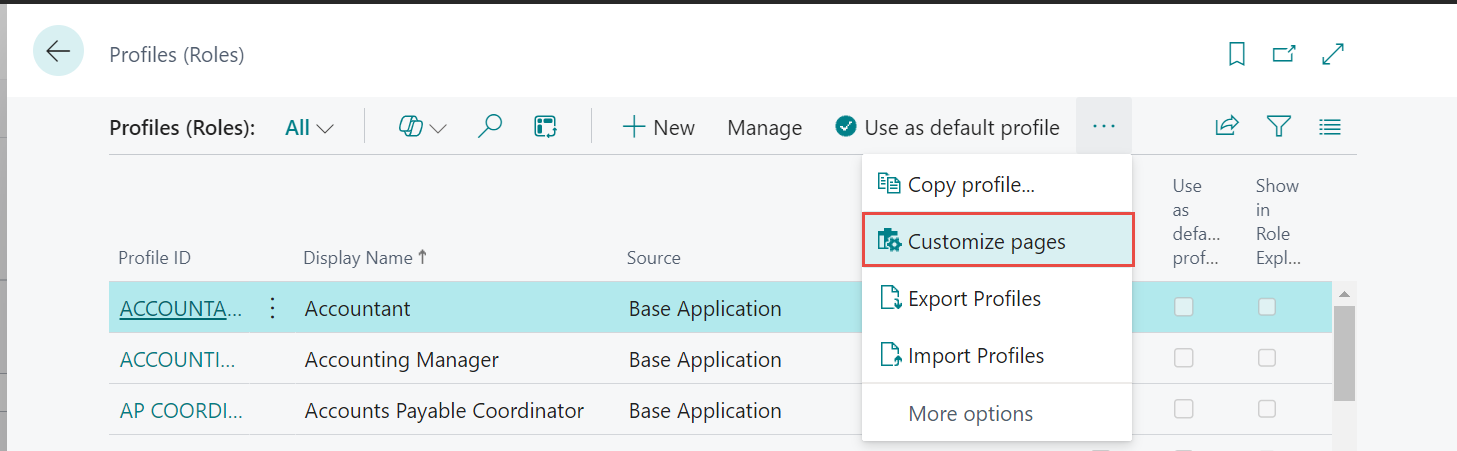
By enabling this mode, you can view and interact with fields that were previously inaccessible through regular customization options.
Customizing Page Actions
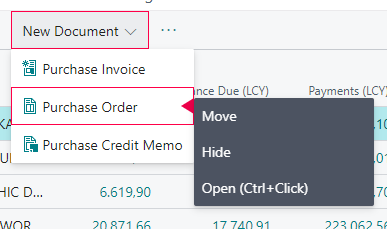
Beyond field visibility, Business Central also allows for extensive customization of page actions. Users can move, hide, and modify actions according to their workflow requirements.
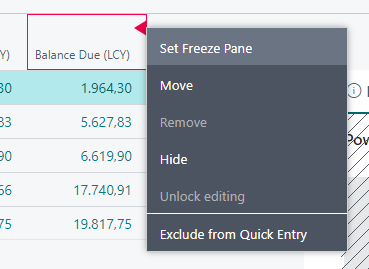
This feature ensures that the interface remains clean and efficient, displaying only the most relevant actions for a particular user or role. It streamlines operations and enhances user productivity by reducing the clutter of unnecessary options.
Benefits for Clients and Consultants
These enhanced customization features provide significant benefits. Clients gain the ability to adapt the application to their unique processes without relying on developers. Functional consultants can offer more tailored solutions, increasing the overall value and satisfaction for their clients.
The ability to display hidden fields and customize actions in Business Central is a game-changer. It empowers users to take full control of their interface, optimizing it for their specific needs. This flexibility not only improves the user experience but also reduces the dependency on custom code, leading to quicker implementations and more cost-effective solutions.
With these powerful customization tools, Business Central continues to set the standard for adaptable and user-friendly ERP systems. Whether you’re a client looking to fine-tune your operations or a consultant aiming to provide top-notch service, these features are sure to enhance your Business Central experience.